Clicky Web Analytics
presentation
documentation
creation
automation
bim after dark live
Showing posts with label revit calculus. Show all posts

Tuesday, December 15, 2009

More Revit and Math (Trigonometric Functions)

Cool little tip for roof slopes... Very much like my first Revit Calculus post where I used the arc functions to drive an angle.

As I start to get deeper into the conceptual parametric massing I am coming up with all kinds of cool tips.

Here's a great one.

When you need to constrain reference lines in order to create down stream roof slope parameters. As in 3-12, 5-15, 7-12 etc. . . . You don't want the user to have to input the roof slope by an angle. You want to input the slope as a factor of Rise / 12 as shown below. This involves a little trigonometry. Remember the old tan (x) = opposite over adjancent ?

If not have a look at the images just below.


So we know the Adjacent (12) and the user inputs the Opposite (Rise) but the trick is we have to use the 'Inverse Tangent' to get the actual angle in degrees. Otherwise all we get is the Tan of the angle, not the actual angle itself. So the correct term for Inverse Tan is ArcTan which REVIT accomodates as the built in operator atan... Continue Reading...

Friday, December 11, 2009

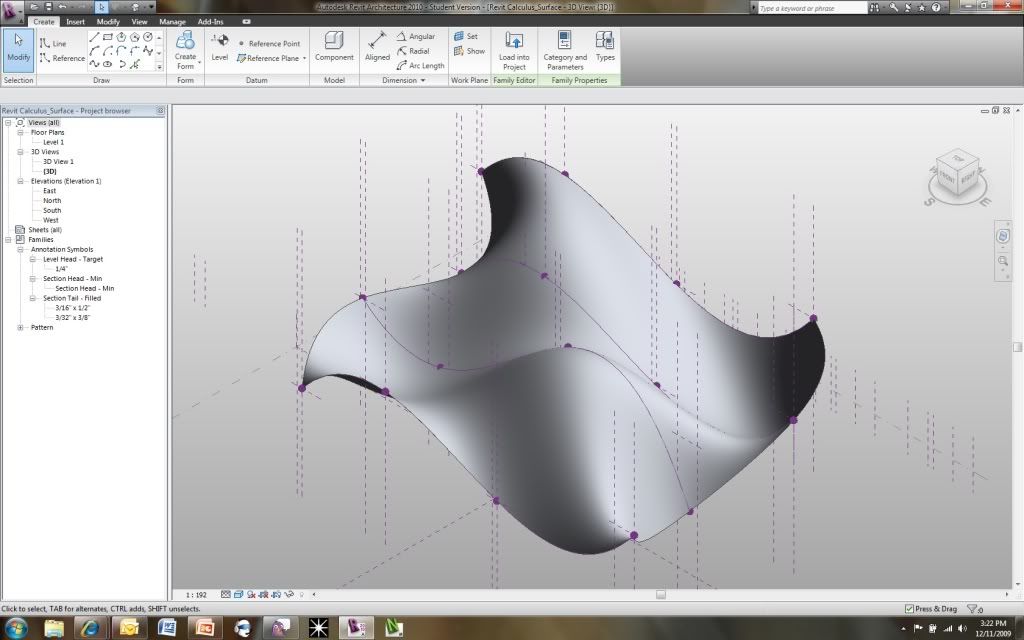
Revit and Calculus - Final... Complete!


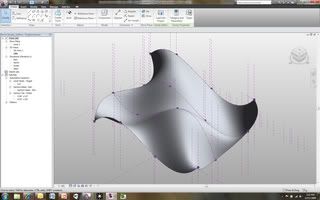
View Larger Image...

Finally, finished my final project for my Calculus 1 class... For those of you who are unfarmiliar with the project here are the two original posts in the very begining stages of the project:


I created a nice power point and presentation. Of course, I recorded it for my readers to benefit from as well! I begin by explaining a little bit of Calculus (given that it was a calculus class) and then wen into all the formulas I used in Revit. I then deomonstrated using these formulas within Revit. The finale consisted of a comlpex surface being driven by calculus. Enjoy!


Thursday, November 26, 2009

Tutorial - Complex Formulas in Revit (Inconsistent Units)


As many of you may know I am working on a final project for my Calculus class involving Revit (see here and here). Well, I have been working a lot on that (one of the reasons the posting has been a tad slow) and I ran into a problem that some of you may have or will have.

The problem was due to the complexity of the equation I was creating to drive one of my parameters. Here is the equation:


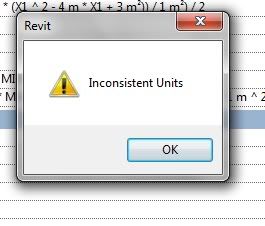
Now, notice the "MIN" is referring to a seperate dimensioned parameter (therefore, it becomes our variable in a sense) and the remainging numbers are fixed. I used meters in order to utlize fractions better and divisions. Now... I go to apply the formula and get this message. (Inconsistent Units).

Then the frustration begins. I tried many different combinations and ways of typing in the formula and could not working. I did some research and found two blog posts that helped me understand what my problem was. It turns out that my problem was not with the actual formula, but the units. Those of you with some Physic's classes in your background will remember this when I break it down. Here is my example:

First, I think about the type of parameter I am making. It is a length parameter. Therefore, the unit it needs to be in is a Meter (not a Square Meter, or Cubic Meter). Now, I look at just the units of my equation:

  • (Meter * Meter Cubed) - (Meter * Meter Squared) + (Meter * Meter)
Which yeilds:
  • (Meter ^ 4 ) - ( Meter Cubed) + (Meter Squared)
These cannot be combined and also cannot create a result that is a length paramter (must be just a meter).
Solution:

The solution is very simple. Set up the equation so that you divide out the remaining Meter units you do not want.
Notice the added division in the formula. Where we yeilded a meter cubed I simply divided the result by 1 meter squared. There you have it. Pay attention to your parenthesise and make sure your result is a single meter.