Clicky Web Analytics
presentation
documentation
creation
automation
bim after dark live
Showing posts with label revit links. Show all posts

Friday, May 3, 2024

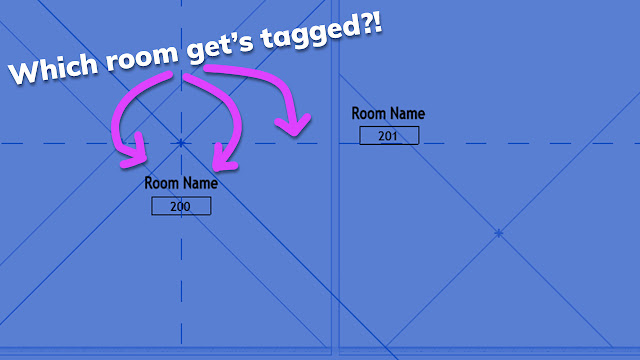
Control Room Tags through Linked Files in Revit (Office Hour Sessions)


I've been using Revit for over 16 years now... And I can honestly say this is the first time I discovered this little tip about tagging rooms through links. 

Check out this snip from a recent Office Hour session to see what I am talking about .... 


PS:

If you think you would benefit from joining an office hour like this one... Join the BIM After Dark Community today.


Thursday, October 7, 2021

Revit Groups vs Links (w/ Aaron Maller)


Well... that was one heck of an episode!  

If you missed last night's discussion I had with Aaron Maller about Links vs Groups in Revit live, you have GOT to check it out now.  Not only did Aaron make his case for what he believes is a better approach, he also threw in some great little tips and tricks along the way...

On this episode of BIM After Dark Live I was joined by friend of the show Aaron Maller to talk about Revit Groups vs Links ... That's right...  We are going to try our best to answer the age-old Revit question of when to use Revit groups or when to use Revit links.

In typical Aaron fashion, he has spent some serious amount of time studying the pros and cons of both options... Will we land on a decision?  Will there be a winner?  Check out the replay and find out!


Friday, January 17, 2014

Revit Tip - I Can't Select my Link!?


This is one of those little gems that sort of slips through the cracks. I had a colleague who was extremely frustrated because he could not select the structural model linked into his architectural model!

He had checked worksets, design options, visibility setting, the link type, etc...

Well, with the release of 2014 there are some new buttons on the bottom right hand corner of your Revit window.


 "Select Links" is one of them.

Monday, January 30, 2012

Revit Tip - Using Scope Boxes


Dave, over at Do U Revit posted a very nice write up about using scope boxes.  I was using dependent views with crop regions for the longest time until someone introduced me to scope boxes... Now, it is your turn:

Click here to see Dave's post on Multi-Disciplinary View Coordination and Scope Boxes...


Friday, February 25, 2011

Revit Tip - Managing Phases with Revit Links

I received an email the other day asking if I could do a few videos on Phasing. This is the snort of topic I have tried to stay away from because I was not sure how best to attack it, but shortly after I read the email I found myself dealing with phases in the office.

The project we were working on is in the very early stages and required some simulation of the actual project construction phases. Therefore, instead of the simple Existing, New, and Demo phases I needed to create 5 new phases. Of course, we had a few different site models linked in that will coincide with certain stages. Well, how do you manage when these site models show and in what stage? As with most Revit solutions... "There is a menu for that" (ha, kind of like "there is an app for that").

Select your Revit Link. Click Edit Type in the Properties bar.


There is a button in the Edit Type window called "Phase Mapping"... Tah dah!  The rest is pretty self explanitory...  Just coordinate which Phase in the Link you want to coincide with which phase in the Main Model.