No live stream this week! Instead, here is a little excerpt from a recent presentation I did for AIA Columbia (South Carolina)...
Special thanks to AIA Columbia for asking me present to them... and letting me record it to share with you all!


 |
| presentation |
 |
| documentation |
 |
| creation |
 |
| automation |
 |
| bim after dark live |
No live stream this week! Instead, here is a little excerpt from a recent presentation I did for AIA Columbia (South Carolina)...
Special thanks to AIA Columbia for asking me present to them... and letting me record it to share with you all!


During last week's episode of BIM After Dark Live, we talked about Twinmotion for interiors (with Lumen) there was a comment about animating the doors while navigating the live scene:

It's super fun and just adds so much more life to a live model scene....
Click here to view the video...


On last night's episode of BIM After Dark Live I ran through creating an interior live real-time rendered scene of the primary bathroom of "The North Wing" project...
The key takeaways were adjusting lights coming in from Revit, material tips for realism, adding entourage... and the sun/light settings that really make a scene feel natural...
Click here to view the replay now...

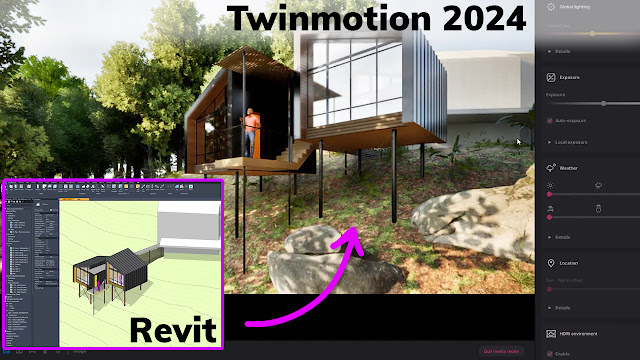
In this episode of BIM After Dark Live I was be joined by Tyler Puryear to talk about what's new in Twinmotion 2024 for Revit! We talked about best practices, templates, and, of course, highlight the new features!
Some of the topics we touched on were:
- Spacing and Area Tools
- Render Layers
- Fabrics
- Substance Files
- Foliage Material
- Camera Updates
- Sequencer & Action Camera
- Deterministic Animations
Click here to view the episode now....
 In Episode 03 of our modern barn series we take our Revit model in to Twinmotion. This tutorial will walk through the process of adding materials, vegetation, entourage, and even updating your scene with an entirely new design option!

While presenting at Digital Built Week Americas 2023, I tell the story of how using Twinmotion for Revit will transform your architectural process. These real-time visualization tools are no longer simply easier ways to make renderings, they are changing the way we design buildings....
Click here to view my presentation....
If you are interested in attending Digital Built Week Americas next year or becoming a member, check it out here...

In this episode of BIM After Dark Live I will be sharing my experience of using Revit to Twinmotion for the last three years.
By now, you have probably heard the news about a strategic partnership between Autodesk and Epic with the goal of better integrating Revit and Twinmotion. One of the benefits of this partnership will apparently be ALL Revit users getting access to Twinmotion as part of their subscription to Revit. With that in mind, I thought it would be timely for me to share some of my tips, tricks, and processes honed over the last three years of using Revit and Twinmotion together....
Click here to view the replay of episode 81 now...
Also, as mentioned, here are my current Twinmotion light and sun settings (for NON-path traced views):


