Clicky Web Analytics
presentation
documentation
creation
automation
bim after dark live
Showing posts with label revit glazing. Show all posts

Thursday, December 5, 2013

Rendering Tip - A Simple Material Change to Add Realism


There is something that has always bothered me when I render a building.  Glass.  If you were to get in your car and drive around looking at different buildings you may notice the glass always looks  a little different.  Very rarely will the reflection look perfectly flat (as it does on typical rendering).  Usually, there will be a slight convex reflection due to interior air pressure or other factors.

When I render an image using the default glass material in Revit it is so perfectly flat that it can look non-existent.  I came up with a technique that replicates real-world glass. Check out the image below for some comparisons...
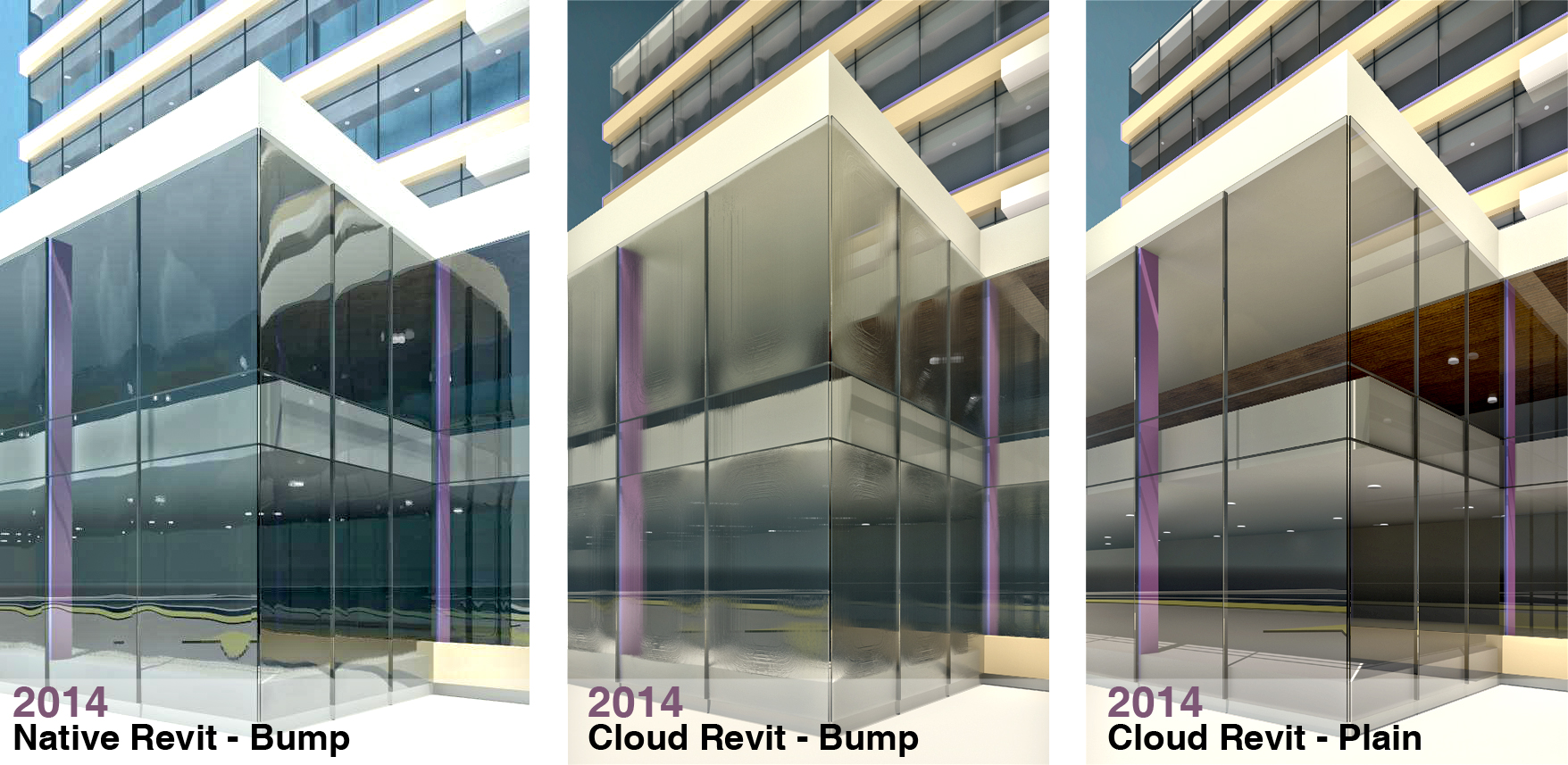
Click to enlarge...
Looks pretty cool, huh?  As you can see from the images Revit's cloud rendering results in a slightly different look.  If you are doing an exterior rendering from further away than the images above Revit's native and cloud renderings look pretty similar.

So, you want to know how to create the same effect?

Monday, June 8, 2009

Tutorial - Glass vs. Glazing

Lots of the emails I have been receiving tend to revolve around rendering.  Many of them are about the plague of "dark renderings".  This video was the result of two emails I received where custom windows were built.  

The problem with the custom windows were the glass was a tad thick (around an inch to an inch and a half) and the render material was set to "Clear Glass" and not "Clear Glazing".  This is all very application specific, but it is definitely something that you want to keep in mind when creating glazing and rendering in Revit.  Enjoy and I hope it helps!

Topics Covered:
  • Rendering Materials: Glass and Glazing
  • Rendering Comparison of Curtain Walls
  • Rendering Comparison of Cubes