Clicky Web Analytics
presentation
documentation
creation
automation
bim after dark live
Showing posts with label buildz blog. Show all posts

Thursday, May 12, 2022

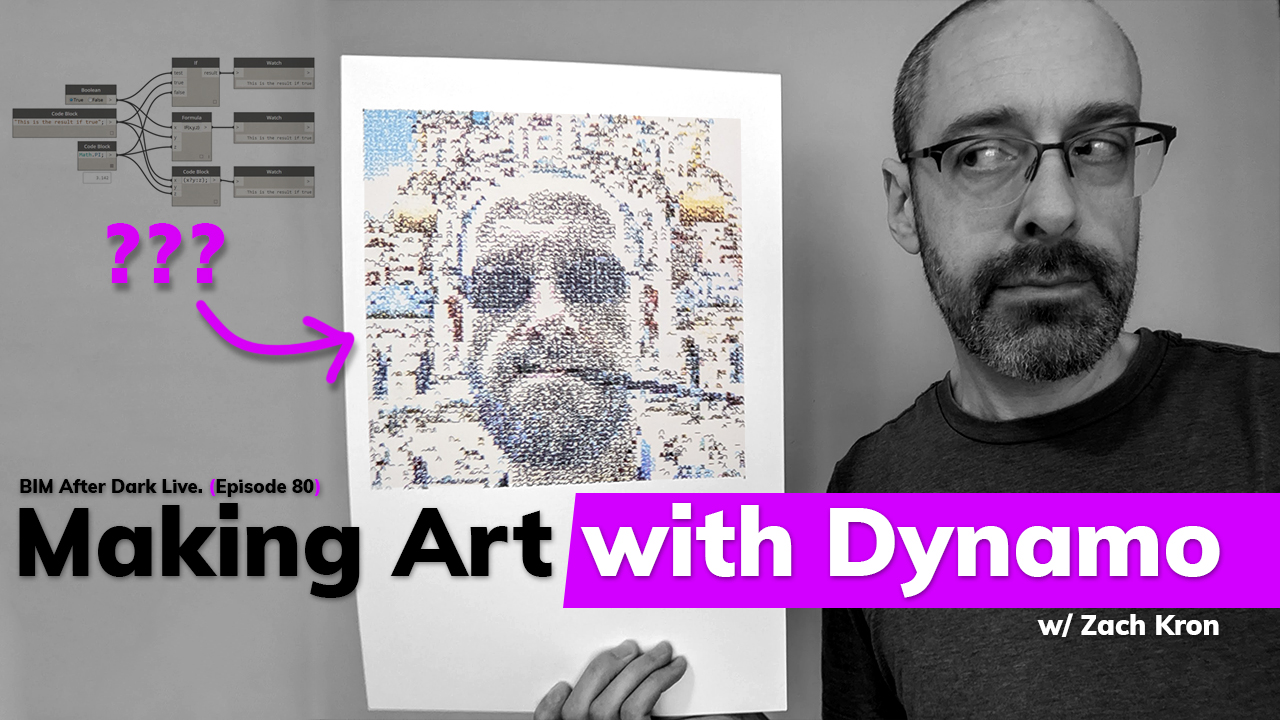
Making Art with Dynamo (w/Zach Kron) - Replay


Well... That was a fun one!!!

If you missed last nights episode of BIM After Dark Live, check it out right now...

Zach Kron joined us to talk about how he makes art with Dynamo using a pen plotter...  We talked about why he decided to make his art, what inspired him, his process, and he even created a piece LIVE on the show!!  

Click here to watch the replay now....

Don't forget to thank our sponsor this season!



Twinmotion is supporting this season of BIM After Dark Live and I can't be more excited about it.  You know I won't ever represent a product I don't use and believe in and this is no different.  If you have not heard of Twinmotion or want to learn more I have a bunch of previous videos and reviews listed here...

Be sure to use THIS LINK to download a free trial now to see for yourself!

I also have a FREE from Revit to Twinmotion course you can sign up for here....


Sunday, January 9, 2011

Revit Tutorials/Tips - Parametric Pattern Series

I really hope that this post is old news to all of my readers.  Why?  Because you should be checking out Zach's blog EVERY SINGLE DAY!

Anyways, Zach over at buildz, has been posting a great series called "Parametric Patterns" based on the book Elements of Parametric Design.Sadly I still have yet to purchase the book (it is a bit expensive on a students expense list), but I do plan on buying it one day.  Fortunately, Zach has been breaking down the topics of the book in his blog with great articles, videos, and images.  Personally, I am printing his posts and making a nice book of my own out of it!  I have linked the series below (even though it does not seem to be over just yet.):


Keep an eye out on Zach's blog for more to come... Thanks for the posts Zach, they are great!


Wednesday, April 14, 2010

Performative Design - New Site

I never pass up the opportunity to blog about a new found site... Thanks to Zach over at Buildz for introducing me to the site. From the person who brought you Ecotect, Andrew Marsh, here is a site full of great ideas and tutorials:

Welcome to the personal website of Dr. Andrew Marsh ...
This site is basically my online notebook, containing an eclectic mix of ideas, discussions and experiments in building performance analysis, generative design, computer programming, data visualisation and web development - all organised under the following two primary themes: Performative Design & Informative Design.


Sunday, April 11, 2010

Buildz : Parametric Pandora

A very nice little written piece on Revit by Zach over at Buildz. A cool perspective that I think all of you students who are cursing at the computer right now trying to make your "Gehry-esque" design project work:

Parametric Thinking and Pandora

Careful . . . I haven't really thought this through entirely but here goes:

You're having guests and you're putting music on via
Pandora. You think, something a little folksy, simple, a little gritty. Bob Dylan before he went electric! So you pop on a new station for Bob and 15 minutes later, you're wondering why you're listening to the Traveling Wilbury's and Credence Clearwater Revival, and all that stuff from Stealer Wheels. Well, you asked for something really general and you're going to get something really general. It's all Dylanesque, the problem is, which Dylan did you mean?

Pandora is a system, not a DJ or a librarian, and like any other system, it isn't going to be any smarter than the information you give it. I don't know technically how it works, but it seems to work in some derivative fashion. You give it Bob Dylan, and it will give you back music that was inspired by Bob or very near to him in musical time/space, which is a pretty large patch of musical history. To get effective playlists, you have to go one step back or above your target.

I've heard a lot of questions from Revit users about why it doesn't do what they intended. Yes, sometimes there are bugs. But more often than not, the problem is that Revit is not yet telepathic (fingers crossed for 2012!) and the user has not given the system enough information to properly define the performance of their geometry. One user was confused about the behavior of an arch that was "defined" by two points (center and radius). An arch must have three points to be defined (arc length or angle!), otherwise you get "Stuck in the middle with you" or "The Joker".
...Continue reading the post...


Tuesday, April 6, 2010

Tutorial - Adaptive Components

Some more genious work by Zach over at Buildz:

Adaptive Components: The Frame

This is a work flow that the Conceptual Modeling team looked at while developing the new Adaptive Component toolset.

This particular construction method was first attempted by Rahul, the brains behind much of the Adaptive Components code and one of the many hard working developers at the factory to whom I sacrifice a goat every full moon. (Look for the infinitely extended intersection line hack, this will start showing up more and more.)

Generally, this tutorial (in 2 parts) is riffing on a project that has been done in Catia/Digital Project and Inventor. For these examples, check out the posts on DesignReform


Click here to go to the post and see more videos and pictures...

Sunday, January 31, 2010

Tutorial - Helix Tool (Buildz)

Some more great stuff done in Revit... no, not Maya or 3DS Max... Revit:


This is a Revit 2010 parametric helix family for you to download and abuse. It's good for about 3 full rotations (1080 degrees) before you start having and visible artifacts. You can think of this in some ways as another basic sketch tool like the ones you have in the draw gallery. Just as you would draw an arc, put a profile on it, and make a sweep, you can use this to draw a helix, host profiles on it, and make forms. This includes being able to make in-place sweeps in the .rvt environment of whatever category you want... Continue to post....


Monday, January 25, 2010

Tutorial - Create a Smooth Helix

Zach, over at Buildz, is constantly posting crazy conceptual shapes made in Revit. This is no exception. Great post and proves the versatility of Revit 2010.


Another repeat question: "How do I make a smooth parametric helix in Revit?"

Here's a quick (2 minute) video. The basic principle is to make a rig with a controlled vertical offset and rotation, and then hang your geometry on it. In this example I use a rectangular form to create the rig, but you could use just about anything.


Saturday, December 26, 2009

Bitmap to Panel

Talk about making your mind spin. Check out this post from Buildz:


Let me be the first to admit I have an unhealthy relationship with my software. But this is too cool to not gush about.

Harry the API Guru did a course on using the API in the revit 2010 massing environment at AU2009 just a few weeks ago: "
Creating and Analyzing New Conceptual Massing Geometry With the Autodesk® Revit® API". Unfortunately, I was unable to attend, but I was given the opportunity to test drive some of the tools he made for the course before hand. Hands down the best one yet is Harry's SetParamFromImage.

Conceptually the tool is dead simple. You have a bitmap that is 12x12 pixels. You have a divided surface that is 12x12. The panels in your divided surface contain a parameter called Grayscale, and the API will write a value from 0" (white) to 12"(black) based on the pixel values of the image. Tah dah!...
Continue to rest of post and pictures...

Tuesday, August 11, 2009

Revit Batch Renderer : Beta 2.0

Woohoo! The great batch rendering script created by Zach over at Buildz keeps getting better and better.

From Buildz:

Hurray for the Masked Rendering Enthusiast*! He/She/They have refined and streamlined Steven Faust's streamlining of the original journal script and added a few new features.
Be sure to go to the Buildz blog to read all about it and see the release notes. Thanks to everyone from Zach to those of you turning a simple journal code into this great software.


Wednesday, July 1, 2009

Batch Render is now Software!

I linked to Buildz blog a while ago about the batch render script he wrote... Which was absolutely great... And now, one of his readers has written it into an easy to use program!

"Hooray for Steven Faust of Emc2 Architects! He's done some retooling of the batch rendering for Revit hack that I posted some time ago and made it much more user friendly. Using some VB code, he has crafted a graphical interface for the script, which should make it a lot more inviting for most users. Basically, you run the .exe file, fill in some boxes with info about your file (view names, desired resolution, etc), it then writes a new journal file, and launches Revit to execute this new file. He's also added a function allowing a limited exposure bracketing.

So download the zipped executable from here, and check it out (the source code is also available here for those who want to help evolve this thing). I've generally had good results with this, but did see a couple strange pathing issues on one XP machine. Keep in mind that it doesn't save settings and that, unless you copy the temp journal, it will clean up the rendering file it makes after your images are done. Try it out and send your feedback.
As always, take care when using undocumented executables downloaded from some bozo on the interweb."

Thanks to Zach and Buildz and Steven Faust for doing what I wish I could.

Tuesday, May 5, 2009

Buildz Blog.

0 comments
Interesting new blog:

"Welcome to the opening post of buildz, a blog about building stuff: real stuff, imaginary stuff, digital stuff, my stuff, other people's stuff, funny stuff, serious stuff . . ."


Some very cool Revit renderings and objects.


Architectural Designer and Software Analyst for Autodesk. Disclaimer: The materials contained and the opinions expressed on this blog are my own and are not necessarily those of Autodesk.