Clicky Web Analytics
presentation
documentation
creation
automation
bim after dark live
Showing posts with label twinmotion. Show all posts

Friday, February 19, 2021

Managing LARGE & COMPLEX Sites in Revit and Twinmotion (Replay w/Links)


On last night's episode of BIM After Dark Live I broke down how my team and I manage large, complex, and phased scenes in Revit & Twinmotion 2020 to create construction logistics/phasing plans, aerial views, and more... There are a lot of aspects to this session for Revit: - Model setup of super large scenes (acres upon acres of land). - Use of Container models using the design teams files. - Managing multiple phases, fencing, and more... Then, there are all the lessons learned when using Twinmotion 2020 with these large scenes, such as: - Export/Import Tips for less crashes. - Managing Phases/Sequencing, etc... - More efficient and stable model refreshes on large scenes - Best trees and material settings for aerial views. - Best lighting settings for aerial views...

Follow along as I walked through two different projects with their own unique approaches to creating large site models in Revit and managing how those scenes are built in Twinmotion.

Also, it's worth watching this episode to see how nervous I was while running two instances of Twinmotion 2020, two instances of Revit, and streaming live to YouTube from a 2K monitor... Talk about risky!

Continue reading to view the replay and all of the links mentioned (as well as the Twinmotion light settings I walk through at the end)...

Wednesday, November 25, 2020

Revit + Twinmotion 2020: Rendering a Night Scene (Tips and Tricks)


On this special Tuesday episode of BIM After Dark Live I gave an update on my own house project and jumped back into some Revit & Twinmotion 2020 content.  

We talked about rendering night scenes in Twinmotion 2020 with Revit.

This episode was inspired by a student's question following our Twinmotion class.  She asked about making a "moody" nights scene.  Then, it dawned on me, I had yet to make a NIGHT SCENE in Twinmotion.  

So, I dug in, spent some time, and figured out some of the tips and tricks to creating sexy, moody, and super-fun images!

Continue reading to view the replay an all of the links mentioned (including my FREE Revit to Twinmotion course...)

Wednesday, March 11, 2020

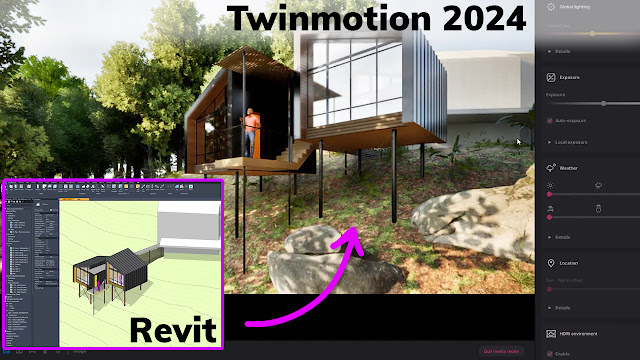
From Revit to Twinmotion 2020 - The Ultimate Review


I first tried out Twinmotion back in 2012.  Eight years ago, real-time rendering programs were cool, but they were just that, cool.  You couldn't make an image that would pass as something reasonably realistic.  They were just too "game-y".

I ventured back into the world of real-time rendering back in 2015 with Lumion.  If you have been following this blog over the last five years you'd know how big of a fan I have become of Lumion (check out all the review and posts here).  But, you may have also noticed that my Lumion 9 and Lumion 10 reviews had a bit of frustration in them.

Well, my frustration at the latest release of Lumion and a demonstration I saw of Twinmotion 2020 made me want to take the proper time and give Twinmotion a try.

Therefore, I've spent the last 2 months using both Lumion 10 and Twinmotion 2019 to create renderings, animations, and project scenes. More recently, I've spent the last couple of weeks with an early copy of Twinmotion 2020!

Well, let's just say Twinmotion has been a refreshing change of pace and I am very impressed.

Keep reading to view my ultimate review of the new Twinmotion 2020...


Wednesday, January 25, 2012

Real Time Visualization Software and Revit


Luke had a post recently about Lumion so i figured I would respond with my own post instead of simply in his comments...

I have been testing out Lumion, Stadia3D, Artlantis, and Twinmotion for the last month or so and they all have their pros and cons in my opinion.  Lumion and Twinmotion take a bit of work to get a Revit model into.  Once the model is in the programs it takes even more work converting their materials to the software.  **Disclaimer** I have not been able to try the absolute latest Lumion exporter for Revit **

Artlantis is a tad bit easier with a direct plug-in exporter from Revit.  It carries the materials through so you can just select the Revit material and update it to the software's materials.

Stadia3D is by far the easiest connection with Revit.  What ever you see when you render in Revit is practically what you see in Stadia. It requires a tiny add-in to be installed and the rest is done in the cloud.  The quality of your video card is the only limit with the quality of the renderings...

I plan on using a variety of the aforementioned software's this upcoming semester and hopefully return to you all with some more in-depth analysis and results.

Have any of you had experiences with these pieces of software?  Am I missing one or two other?  Comment below!