Clicky Web Analytics
presentation
documentation
creation
automation
bim after dark live
Showing posts with label family creation. Show all posts

Thursday, October 13, 2022

Parametric Cabinets in Revit Tutorial (w/Brent) - Replay


In this episode of BIM After Dark Live I was joined by Brenton Wiberg to talk about building parametric cabinets in Revit.  In this live Revit tutorial, Brenton walked through how he goes about building a custom cabinet family from scratch!  We explored his thought process on how to approach this type of family and his lessons learned from many years of getting PAID to MAKE families just like this one. 


There are some awesome insights to take away from Brenton's approach like his use of face based families and instance parameters its a must watch for all of us Revit nerds. 


Click here to watch the replay of episode 82 today... 


Tuesday, September 27, 2022

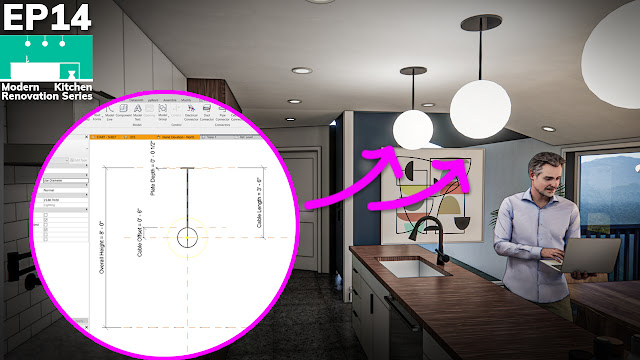
Modern Kitchen Renovation Series - Revit Light Fixture Family Creation (Episode 14)


In episode 14 of our modern kitchen renovation series we will take a minute to build a fully parametric Revit light fixture family!   In this tutorial I will walk you through the steps it takes to build a pendant light fixture family in which you have total control of the size, height, materials, and light intensity!  

Oh.... all in like 9 minutes or so.. :)

Click here to view episode 14 now....


Thursday, April 14, 2022

Advanced Revit Family Tutorial (with Brenton Wiberg)


On last night's episode of BIM After Dark Live, Brenton Wiberg returned to the show to share some of his most useful (and impressive) advanced Revit family techniques, tips, and tricks...


Brenton demonstrated some of the following real-world advanced Revit family creation techniques:


- Nesting multiple windows or doors that are fully parametric but also able to be tagged and scheduled on their own...


- A custom window tag you WON'T want to miss...seriously, it is a really cool tag. 


- and more...


Click here to watch the replay of episode 77 with Brenton now... 


Friday, November 12, 2021

Revit Family Formula Tips (w/Brenton)


Brenton came on the show last week to talk about his favorite Revit family creation tips he developed over years of getting PAID to make Revit families.  If you missed Part 1 of Brenton's episode, check it out here. There were so many comments and chat replies asking for a Part 2, we decided to do it last night...

Brenton continued on with his table and chairs example but we focused on family formula creation!  Brenton had some awesome tips and great ways of explaining tough concepts like "if" and "not" statements...

Oh, and he had a fantastic tip at the end to show you how you can TAG nested elements through a groups family...

Thursday, November 4, 2021

Revit Family Tips ( From a Professional Revit Family Creator ! )


This episode of BIM After Dark Live had the chat buzzing!  Brenton Wiberg (of RevitFamily.biz) joined me to talk about what he has learned while building Revit families for his clients.  We hit on a bunch of great topics and tips from what to look out for when starting a Revit family to using family type parameters!

If you missed it live, be sure to check out the replay above!  

The live audience (after 1.5 hours!) was asking for a part 2... stay tuned... ;)

Friday, February 12, 2021

Array Based Families in Revit - What You NEED TO KNOW! (+ Free Guide)


Missed the show live?  Be sure to check out the replay below and a link to my Free Desktop Revit Family Cheat sheet...

Yesterday's episode of BIM After Dark Live was inspired by a subscriber's email (Matt).  Matt had a few questions about using an array in Revit to build families and some of the tips and tricks when doing so...

So, I thought it would be fun to build an array based family live!  And walk through some of those little "need to know" tips and tricks along the way.

Topics Covered:
- Creating a nested family and "carrying over" the parameters.
- Creating a line based family.
- Using and applying arrays
- Formulas to drive the array
- How to handle single objects and arrays in the same family...

There were a bunch of great questions and even some comments from Paul Aubin and Nick of Revit Pure!

Continue reading to view the replay, see the links, and download the free desktop family guide...

Friday, January 8, 2021

Parametric Dining Room Light Fixture Family in Revit - Start to Finish


I built a parametric family in Revit on yesterday's episode of BIM After Dark Live.

But, not just any old Revit family.  A dining room light fixture. 


Why a light fixture family?  


Well, I've noticed over the years that light fixtures are probably some of the most wanted families.  Probably because there are literally millions of fixture with all sorts of little details within them.


Another reason I wanted to walk you through the creation of this fixture live is that is contains a whole bunch of great family creation tips and tricks along the way.  


There were some great questions and I shared a lot of "process" references (like sketches, and diagrams) that are worth checking out...


Topics Covered:
- Laying out a Parametric Object
- Using Nested Families (when, why, and how).
- Using multiple light sources in one family.
- Carrying parameters (like materials) through nested Families
- When to use sweeps over extrusions
- Tips for making "rods"...

And so much more.  


If you missed it, be sure to continue reading to see the replay and view all of the reference materials...


Monday, November 9, 2020

Rainscreen in Revit


In this short video (extracted from a longer episode of BIM After Dark Live) I demonstrate different ways to utilize the curtain wall tool to your advantage.  I talk about creating rain screens, wood slat walls, and more...

When you begin to think about the curtain wall tool as simply a grid system used for hosting solids and voids it opens up a whole new world!

Continue reading to watch the video...

Friday, October 30, 2020

Build Your FIRST Parametric Revit Family, Today! (Replay)


Just in case you missed it... Yesterday was the 30th episode of BIM After Dark Live!!  

Pretty cool!

During the episode I taught the fundamentals of creating parametric content (families) in Revit.  This was not your ordinary "here is how you build a family" lesson, though.  I really stressed the concepts behind how a parametric family, reference planes, and constraints work.

Even if you think you KNOW how families work... This episode may be worth a watch!

Of course, given that it is a live show, we also had some great questions from live viewers!

Continue reading for the episode 30 replay and links mentioned....

Friday, October 9, 2020

Good Looking, Fully Organic, All Natural, "NURBS" in Revit (w/Tim Waldock)


On last night's episode of BIM After Dark Live I am excited to have Tim Waldock (of the Revit Cat blog) on the show.  I've been following Tim's blog for many years and I have always loved the way he dives into the nitty gritty details of Revit features and functions.


Tim will be demonstrating some of the awesome techniques he has developed for creating super smooth, good looking, organic forms in Revit.   


When I say organic, I literally mean he showed us how to model some vegetables (or a fruit?)...  


Revit isn't known for being able to display super smooth "NURBS" type of shapes but Tim has some tips and tricks to help you out.  From random blob shapes to beautiful modern furniture, I guarantee you'll find a use for what Tim has to show.


Continue reading to view the episode and see any related links mentioned....

Friday, September 11, 2020

Practical Revit Family Tips and Tricks (w/Special Guest Philip Chan)


Mind. Blown. 

That is all I can say about last nights episode of BIM After Dark Live.  Philip Chan, of the Phil-oshophy in BIM blog, joined me to demonstrate some practical family tips and tricks.  

Ahead of the episode, Phil only sent me a few bullet points about what he was going to talk about. He did not give away any of his "punch-lines".  This is one of those episodes that you will want to watch regardless of your experience in Revit.  The little tricks that Phil demonstrates are not just useful but also show how you can use creative thinking to develop new ways of doing things in Revit.

Just some of the content we covered included:

- How to use nested profile to control rotation in your family 
- How to use nested profile to make exposed curve end beam family - Tips on getting the manufacturer family behave the way you want it
- Tips on re-purposing existing content as nested family

Continue reading to view the episode and links mentioned....

Monday, August 17, 2020

Add an "X" Symbol When Your Framing is Cut in Revit


Today's quick tutorial was inspired by a post in the BIM After Dark Community. Tom was asking about adding detail items within families so when you cut a section you can see the detail...  He wasn't talking about stud framing but it reminded me of this tip that I wanted to share with you.

We have all spent time placing those pesky little Wood Stud Detail Components in our wall sections...  Well, there is nothing worse that doing that when you actually HAVE THE FRAMING MODELED!

So... here is a tip that will show you how to get the silly little "X" within your framing model families.  It can also be applied to any family times (ie. Adding more detailed line-work into a double hung window family.. you name it.).

Continue reading to view the tutorial...

Friday, August 7, 2020

Rebuilding Notre Dame... In Revit.


Wow...

That is all I can say after the latest episode of BIM After Dark Live...  

Andy Milburn joined me to walk us through one of the most stunning Revit models I have ever seen:  Notre Dame de Paris.  Andy and an awesome team of Revit-eers from around the world have re-built an absolute masterpiece of Gothic architecture in Revit. 

While walking through the actual model live, Andy explained their approaches to many unique elements around the building.

Topics Covered:
- How the initial plan was developed using images, exterior scans, and "Revit-tized".
- Unique Elements such as some really neat stairs.
- Exploration of modeling a variety of groin vaults.
- An Enscape fly through!

Continue reading to view the episode...

Sunday, February 23, 2020

Revit Tutorial - Round Windows and Parametric Circles


Today, I'm throwing back to "old school" Revit Kid with a simple 5 minute video tutorial/discussion.  No fancy intro or anything.  The topic of discussion?  Round Windows.

First, a little background.  I teach a parametric modeling course at the University of Hartford each Spring.  After a couple of classes and rudimentary exercises on parameters, formulas, etc... I assign a homework project: make a fixed round window.

I am always surprised with how many different approaches students take to make a parametric round window.  As with anything in Revit, there are lots of ways to approach a problem.  But, I am curious to hear how you approach parametric circles in Revit. 

First, take a look at the short video I made about how I approach them... Then, let me know how you do... 

Continue reading to view the video...

Monday, February 20, 2017

Revit Tip - Modifying a "Built-In" Parameter (Type to Instance)


One of the things I love about teaching a BIM course at the University level is how much I learn from it...  Whether it be the fact that I am constantly challenged with questions or the fact that the students, with brand new perspectives on the program, point out nuances I've been too in the trenches to see...

Well, today's tip is a perfect example of a nuance that I never noticed...  During a recent class I was teaching my students how to make a fully parametric casement window from scratch.  We decided, as an example, we wanted the "Width" of the window to be an instance parameter... Well, if you start with the "Window" template, guess what...?  You can't make it an instance.. Or can you..?

Continue reading to find out more...


Monday, November 7, 2016

BIM After Dark: Mini-Course #1 - Family Creation (Enroll Today!)


I am finally back from my wedding and honeymoon... Thank you all for the kind words of congratulations.  It means the world to me that so many of you took the time to send your love!

Three weeks ago, I held an e-mail only relaunch of BIM After Dark - Volume 3. (If you did not get the e-mails then you are either not on my email list (GET ON IT TODAY!) or you already own BIM After Dark - Volume 3). 

During the relaunch, I offered a bonus to those who purchased within the set time frame.  Well, there was so much interest in the bonus offer that I decided to open it up to the public for one day... and that day is today!

The bonus offer was enrollment in my first ever live, online, and interactive class.  It is no secret how much I enjoy teaching and I have always wanted to take the concept of BIM After Dark live.  Well, this is the first step.  

For today only I am opening enrollment into the first ever mini-course: Family Creation.  Continue reading to learn more about the course and to enroll today...

Thursday, March 17, 2016

BIM After Dark - Volume 3 : We are family!


BIM After Dark - Volume 3 is now available!  


Now you can finally scrap all of the bad models you’ve downloaded, stop letting what’s available dictate your designs, make time for custom content, stop drafting over elevations, and begin creating your own parametric Revit content.


Volume 3 is focused 100% on custom family creation while stressing the use of real-world situations and examples. In addition to over six hours of non-stop, easy-to-follow, and information packed tutorials you have the option of some great bonuses in the complete package…  

Continue reading to find out more about what’s inside and a special launch discount…

Wednesday, March 16, 2016

Revit Tutorial - Custom Shaker Cabinet Family


I recently wrote about the dangers of not creating your own custom Revit families.  More specifically, I used the example of modifying the out of the box Revit casework families.  In this post, I wrote about how representing your model incorrectly due to “lack of time” could kill a project's budget.  In this post, I wrote about how drafting in details over your families to make them look correct could add hundreds of hours of re-work when changes occur (and they always occur).

Now, to demonstrate just how simple it would have been for you to make a custom shaker door and modify the existing casework families I created a tutorial.  Continue reading to view the tutorial and to fully comprehend the power of custom family creation in Revit….


Tuesday, March 15, 2016

The Drafting Workaround...


Yesterday, I published a post that explored the dangers of NOT building custom Revit families.  I used the example of out of the box casework families. Today, I want to expand on this idea and present a common work around I see every day.  In fact, you or your company may use this workaround too!  What is the workaround I am talking about?  Let’s call it “drafting”...  For example, when you create an interior elevation and you use drafting lines and filled regions to show details, patterns, and information.  Let’s talk about how dangerous “drafting” in Revit can be...

Monday, March 14, 2016

I Don’t Have Time to Create Custom Families...


When I think about the least customized elements in a typical Revit project casework, or “millwork”, always comes to mind.  It’s true, the out of the box (OOTB) casework families are well-made and fully parametric.  But, when you have something other than flush solid door cabinets, as you would in many residential applications, the out of the box cabinets are lacking...