


 |
| presentation |
 |
| documentation |
 |
| creation |
 |
| automation |
 |
| bim after dark live |
Showing posts with label revit massing. Show all posts
Showing posts with label revit massing. Show all posts
Thursday, July 18, 2013
Wednesday, June 20, 2012
Revit Tutorial - Create Parametric Complex Structural Forms
Nice tutorial over at BIM Technologist... I have to say the reason I do videos is because it takes FOREVER to write out tutorials... I don't know what the Revit book writers are thinking...
Open up a new family template and create a couple of reference lines. We will use these lines to set work planes once we create our forms. .... Continue reading...


Monday, April 6, 2009
Revit Classroom Workflow - Step 1
Labels:
conceptualization,
mass,
rcw,
revit massing
0
comments
Conceptualization
Many of you may not think that Revit would be used so early in the design process. The truth is that Revit is great for creating quick and analyzing forms when utilized correctly (this is especially true with 2010's geometric form capabilities just around the corner).
First, the professor presents the program. The program will usually contain room requirements, owner requirements and guidelines, and square footage requirements. With this information alone and a concept sketch or two you will be able to produce a quick scaled and proportional mass or masses to analyze in three dimensions.
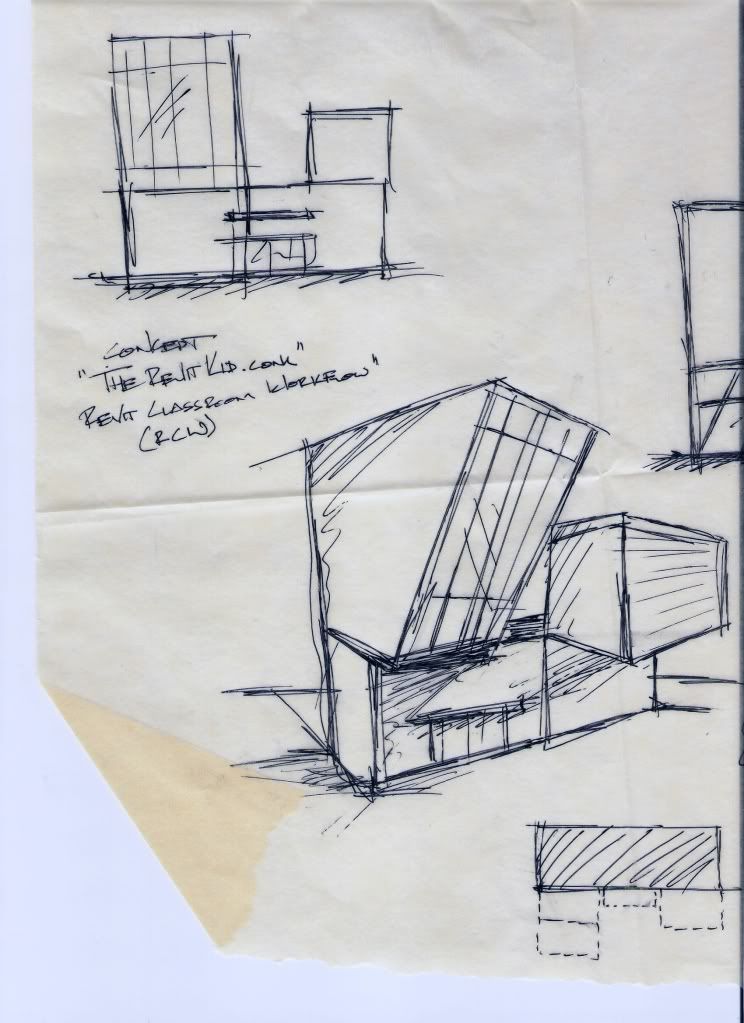
It would not be true if I were to say that a majority of the conceptualization step was not spent outside of Revit and outside of a computer. A roll of trace and a pencil are an irreplaceable tool during the design process. Even with Revit I find myself using half a roll or so of trace during the entire design. Ultimately, Revit will parallel your sketches and physical models during conceptualization. The combination of the three will greatly improve your own understanding of the masses and concept as well as helping you to be comfortable with your concept and two and three dimensions.
I have created an example that shows a quick concept sketch and how it parallels with the use of Revit. Additionally, this will have to be updated with the release of Revit 2010 and it's new Conceptual Mass capabilities.
Here are a collection of the DesignReform.net Videos using 2010:
Subscribe to:
Posts (Atom)

The Revit Kid.com! by Jeffrey A. Pinheiro is licensed under a Creative Commons Attribution-NonCommercial-NoDerivs 3.0 Unported License. Based on a work at The Revit Kid.com.