Clicky Web Analytics
presentation
documentation
creation
automation
bim after dark live
Showing posts with label office hour. Show all posts

Tuesday, February 10, 2026

Cutting Walls into Foundation Walls in Revit (Office Hour Sessions)


In this week's office hour session we explore a few different options for dealing with integrating exterior walls and foundation walls (for things like window wells) in Revit... 

Click here to view the video...


Every other week I hold a private call with members of the BIM After Dark Community.  I thought it would be valuable to highlight some of the conversations here on the channel.


If you think you could benefit from an Office Hour like this one, Join the BIM After Dark Community for full courses, support, and sample files today !


Friday, June 6, 2025

Multi-Phase Demolition Plans in Revit (Office Hour Sessions)


In this week's office hour session I give a little overview of Revit phasing and how being able to create filters for Phases opens the door to new and exciting things!  Like... Multi-phase demolition plans! 


Click here to view the office hour now... 


Every other week I hold a private call with members of the BIM After Dark Community.  I thought it would be valuable to highlight some of the conversations here on the channel.  If you think you could benefit from an Office Hour like this one, Join the BIM After Dark Community for full courses, support, and sample files today!


Monday, September 30, 2024

3 Options to Model Where Sheathing / Siding Overlap a Rim Board in Revit


In this Office Hour Session I riff on 3 options to modeling the detail where sheathing and siding overlap a rim board in residential Revit construction... 


Click here to view the video now....


If you think you would benefit from joining an office hour like this one... Join the BIM After Dark Community today...


Thursday, August 15, 2024

Section Box Tips and Tricks in Revit + Only 1 Day Left!!!


In this Office Hour Session I riff on section boxes in Revit, share some short cuts, tips, and tricks!  This is one of the more common questions I get asked when teaching Revit and using the "BX" shortcut... ;)

Click here to view the session now...


1 Day Left to Register for NicheBIM 2024!


Quick reminder that I will be closing registration for NicheBIM 2024 tomorrow night!  I've been having a blast designing graphics for swag, organizing with the venue, and preparing for the first ever conference dedicated to small firm architects using BIM!  


If you want to join us next month, you must register by tomorrow night... 


Friday, May 3, 2024

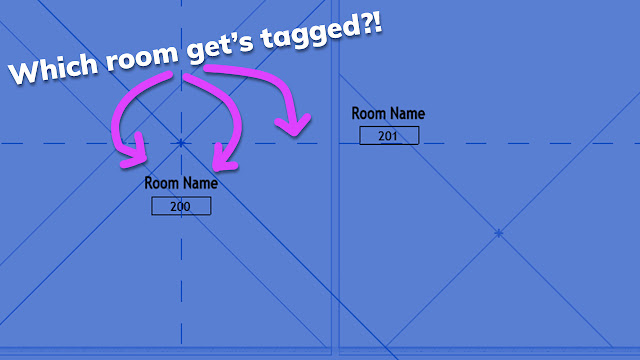
Control Room Tags through Linked Files in Revit (Office Hour Sessions)


I've been using Revit for over 16 years now... And I can honestly say this is the first time I discovered this little tip about tagging rooms through links. 

Check out this snip from a recent Office Hour session to see what I am talking about .... 


PS:

If you think you would benefit from joining an office hour like this one... Join the BIM After Dark Community today.


Tuesday, March 5, 2024

Never Lose a Revit Family Material Again: 2 Easy Tips (Office Hour Sessions)


In this Office Hour Session I spend some time riffing on Revit material parameters and management between a Revit family and project.  I also dive a little bit into materials within nested families, family material parameters, and more. 


P.S.
If you think you would benefit from joining an office hour like this one... Join the BIM After Dark Community today...


Tuesday, October 24, 2023

Wood Truss in Revit Tutorial (Office Hour Sessions)


 On this episode of Office Hour Sessions I riff about making wood trusses in Revit... 


Every other week I hold a private call with members of the BIM After Dark Community.  I thought it would be valuable to highlight some of the conversations here on the channel.


If you think you could benefit from an Office Hour like this one, Join the BIM After Dark Community for full courses, support, and sample files today!


Click here to view the office hour session now... 


Tuesday, June 13, 2023

Glass Color in Elevations Revit Tip (Office Hour Sessions)


On this episode of Office Hour Sessions I help Paul out by showing him a Revit tip about glass color in your Elevations.  It's an interesting one because I talk about the difference between how graphic styles are handled in Revit when you are in a Shaded view versus a Hidden Line view... 


Every other week I hold a private call with members of the BIM After Dark Community. I thought it would be valuable to highlight some of the conversations here on the channel.


If you think you could benefit from an Office Hour like this one, Join the BIM After Dark Community for full courses, support, and sample files today!


Click here to view the video now... 


Monday, May 1, 2023

Notched Wood Column in Revit Tutorial (Office Hour Sessions)


On this episode of Office Hour Sessions I walk through a simple process to making notched wood columns in Revit for things like wood decks and heavy timber framed buildings. 


Every other week I hold a private call with members of the BIM After Dark Community.  I thought it would be valuable to highlight some of the conversations here on the channel.


If you think you could benefit from an Office Hour like this one, Join the BIM After Dark Community for full courses, support, and sample files today !


Click here to view the office hour session now....


Wednesday, December 28, 2022

Revit Family Tutorial - Visibility and Filtering Options (Office Hour Sessions)


On this episode of Office Hour Sessions I use an example of modeling a fish tank family to create a Revit tutorial that demonstrates Revit family visibility and filtering options...  


Click here to view the video now...


Every other week I hold a private call with members of the BIM After Dark Community.  I thought it would be valuable to highlight some of the conversations here on the channel.


If you think you could benefit from an Office Hour like this one, Join the BIM After Dark Community for full courses, support, and sample files today !


Wednesday, December 21, 2022

Office Hour Session - Curtain Walls in Revit (Tips and Tricks) + 30% Off Ends Today!


On this episode of the Office Hour Sessions I used a question from one of our members, Jerry, to give a little overview of the curtain wall tool in Revit.  As Jerry says in the session, "wow, curtain walls in Revit are pretty powerful " !  Haha!


Click here to view the "curtain wall tips and tricks" session now...


Final day to Save 30% !!


Every other week I hold a private call with members of the BIM After Dark Community.  I thought it would be valuable to highlight some of the conversations here on the channel.


If you think you could benefit from an Office Hour like this one be sure to checkout the BIM After Dark Community today and save 30% off your membership before time runs out... 


What's Included?

- Self-paced Revit courses (all four! and any new courses to be added in the future) with sample files, live chat, and community support.


- Access sample files from your favorite "Revit Kid" tutorial posts.


- Exclusive access to online "office hours" with Jeff and guests.


- Connect with other Revit users to share ideas, best practices, and ask/answer burning questions as a community.


We've all spent years struggling with Revit alone.  Why not start struggling with Revit, together?


countdownmail.com

Click here to join right now and save 30% today...  (Remember, this discount ends tonight at midnight). 


Monday, December 19, 2022

Office Hour Sessions - View Filters in Revit, Explained


Every other week I hold a private call with members of the BIM After Dark Community.  I thought it would be valuable to highlight some of the conversations here on the channel.


On this episode of the Office Hour Sessions I used a question about different ways to make foundation plans in Revit as an opportunity to introduce the concept view filters in Revit.  


Oh, and we also talk about an interesting approach to foundation plans that let's you use spot elevations on your top of walls!


Click here to view the office hour session recording about filters in Revit... 


If you think you could benefit from an Office Hour like this one, Join the BIM After Dark Community for full courses, support, and sample files today ! Remember, it's 30% this off this week only!!


Sunday, December 18, 2022

Office Hour Session - Revit Phasing


Every other week I hold a private call with members of the BIM After Dark Community.  I thought it would be valuable to highlight some of the conversations here on the public blog/channel....


Phasing in Revit has been a hot topic of late... In today's edition of "Office Hour Sessions" I run through a multi-phase and demolition project our member, Beth-Ann, wanted some help on.  I hope you enjoy this Revit Phasing tutorial!


Click here (or the image above) to check out today's office hour session... 


End of the Season Membership Discount!!!


If you think you could benefit from an Office Hour like this one, Join the BIM After Dark Community for full courses, support, and sample files today. In fact, this week would be a great time to join. As I mentioned in this season's episodes of BIM After Dark Live, I am offering a 30% discount until the end of this week only... 


Click here to save 30% off of your membership today... 


Tuesday, April 19, 2022

Scope Boxes in Revit ... Explained (Office Hour Sessions)


On this episode of Office Hour Sessions sit in as I give an in-depth overview on Scope Boxes in Revit.  This Revit tutorial dives into how to use scope boxes, set them up, assign a scope box to a view, make part plans, and even explores some of the pit-falls and troubleshooting around Scope Boxes in Revit.

Every other week I hold a private call with members of the BIM After Dark Community (https://community.bimafterdark.com/).  I thought it would be valuable to highlight some of the conversations here on the channel.

If you think you could benefit from an Office Hour like this one, Join the BIM After Dark Community for full courses, support, and sample files today ! 


Monday, February 21, 2022

3 Methods to Create Concrete Panel Walls in Revit Tutorial (Office Hour Sessions)


On this episode of our Office Hour Sessions series, community member Emil asks a question about how to create concrete panel walls in Revit.  While responding, I show 3 different methods to approach this Revit wall modeling challenge. 


Every other week I hold a private call with members of the BIM After Dark Community (https://community.bimafterdark.com/).  I thought it would be valuable to highlight some of the conversations here on the channel in our "Office Hour Sessions".


If you think you could benefit from an Office Hour like this one, Join the BIM After Dark Community for full courses, support, and sample files today !


Click here to view the Office Hour session today... 


Thursday, February 17, 2022

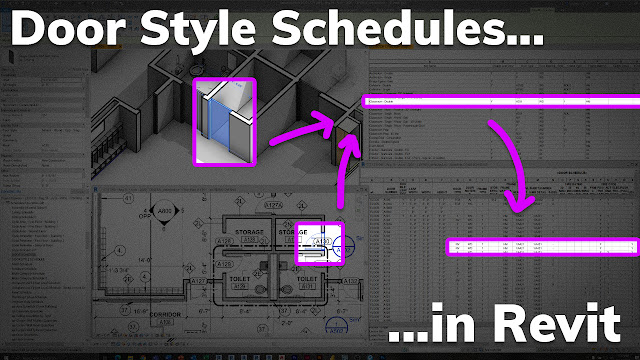
Door Style Schedules in Revit to SAVE TIME! (Office Hour Sessions)


On this episode of the Office Hour Sessions, community member Reggie asks a great question about making door schedules more efficiently, which lead us into a tutorial about door style schedule in Revit.  How to save time making door schedules, be more efficient with your schedules, and not be stuck using door parameters from downloaded families. 


Oh, and we talk about using the same method on Room Finish Schedules... ;)


Every other week I hold a private call with members of the BIM After Dark Community (https://community.bimafterdark.com/).  I thought it would be valuable to highlight some of the conversations here on the channel.


If you think you could benefit from an Office Hour like this one, Join the BIM After Dark Community for full courses, support, and sample files today !


Click here to view the office hour session tutorial now... 


Wednesday, December 30, 2020

Behind the Scenes "BAD" Office Hour (Topics: Revit Curtain Walls & Placeholder Links)


Over the last few days I have received some emails asking about what an "Office Hour" within the BIM After Dark Community actually is...

Instead of simply responding to a bunch of emails, I thought I would make a video!

In this video I take you behind the scenes of an actual "BIM After Dark Community" office hour. I hold these private office hours about every other week for members of the community.

The topic of this sample office hour is Revit Curtain Wall Systems (a couple specific questions from member, Jerry) and placeholder links in Revit (a great tip and discussion for anyone dealing with links!).

So, this video can serve as an example of an Office Hour, but also give you some valuable tips and tricks... Win win!


Want to see more Office Hour examples...?  

Check out this episode of BIM After Dark Live (Top 5 Ways to Use Design Options in Revit) where I hosted a Community Office Hour WITH a YouTube lice audience...