Monday, March 22, 2021
How to Filter Walls BY LEVEL in Revit
Monday, March 15, 2021
Adding a Detail Item in a Wall Sweep in Revit?!
Friday, February 19, 2021
Managing LARGE & COMPLEX Sites in Revit and Twinmotion (Replay w/Links)
Friday, February 5, 2021
Residential Revit - Under Construction (Replay + Links)
In this episode of BIM After Dark Live I gave an update on my ongoing home addition project ("Split Level Redux") and talk about some of the ways Revit has helped during the construction phase.
So often in residential construction, as the architect, we spend countless hours working with a client to design their dream home (or addition). However, there isn't always a connection between that effort and the efforts in the field.
I have been using my own personal project as an opportunity to explore how Revit (and "BIM" in general) can add value to residential contractors, too.
In this episode we explored:
- General construction updates on the project (with some cool footage).
- How I am using Revit to track progress.
- How Revit is helping me place material orders.
- Real-time diagramming and problem solving using the model..
- And of course, some of the head-aches along the way....
Continue reading to view the replay and all of the links mentioned (there were quite a few links mentioned!)...
Friday, January 29, 2021
Revit and Drones - Mapping, Point Clouds, and More...
Friday, January 8, 2021
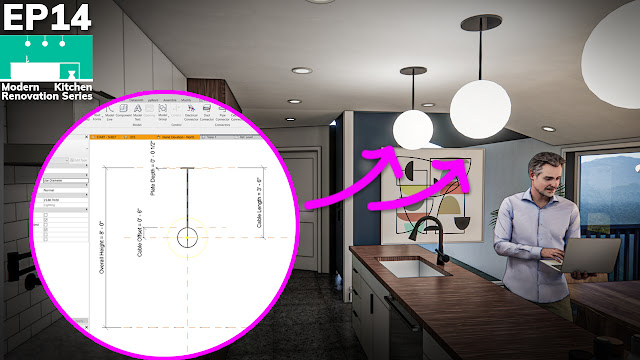
Parametric Dining Room Light Fixture Family in Revit - Start to Finish
But, not just any old Revit family. A dining room light fixture.
Why a light fixture family?
Well, I've noticed over the years that light fixtures are probably some of the most wanted families. Probably because there are literally millions of fixture with all sorts of little details within them.
Another reason I wanted to walk you through the creation of this fixture live is that is contains a whole bunch of great family creation tips and tricks along the way.
There were some great questions and I shared a lot of "process" references (like sketches, and diagrams) that are worth checking out...
Topics Covered:
- Laying out a Parametric Object
- Using Nested Families (when, why, and how).
- Using multiple light sources in one family.
- Carrying parameters (like materials) through nested Families
- When to use sweeps over extrusions
- Tips for making "rods"...
And so much more.
If you missed it, be sure to continue reading to see the replay and view all of the reference materials...
Wednesday, December 30, 2020
Behind the Scenes "BAD" Office Hour (Topics: Revit Curtain Walls & Placeholder Links)
Monday, December 28, 2020
How to Split a Wall Sweep in Revit (Community Quick Tip)
Learning Revit, together.
Thursday, December 10, 2020
Calculating Occupancy in Revit, Automatically
Monday, December 7, 2020
Sloped Shower Floor / Drain in Revit (Quick Tip Edition)
Corrugated Metal Walls in Revit ("Butler" Buildings) - Quick Tip Edition
Friday, December 4, 2020
Curtain Wall Corners in Revit (Quick Tip Edition)
Friday, November 27, 2020
Tutorial - Concrete Reveals in Revit
Continue reading to view the tutorial....
Monday, November 9, 2020
Rainscreen in Revit
Sunday, August 2, 2020
How to Model Board and Batten Siding in Revit
Friday, May 29, 2020
Ductwork for Architects - An Introduction to Revit MEP Systems (with Sample Files!)
Monday, November 18, 2019
Dynamo & Revit: Beams that Follow Complex Roofs
Today's tutorial is a simple but powerful Dynamo script. This is a great introduction to the use of geometry within Dynamo itself.
I was recently tasked with modeling a Unitarian Church here in Connecticut designed by Victor Lundy. The church has two big modeling challenges: the roof and the beams that follow the roof.
Monday, October 28, 2019
Tutorial - Filtering Revit Rooms by Phase in Dynamo
Last week I walked through how to create 3D room tags in Revit and place them using Dynamo (click here to check it out). Some of you guessed where I would go next with this tutorial... "What about phases?!" Well, this week is a follow-up tutorial that will walk through the process of filtering out rooms by their respective phase.
Don't forget to download my FREE printable "Desktop Cheat Sheet" to follow along...
Tuesday, October 22, 2019
Tutorial - Creating 3D Room Tags in Revit and Dynamo
Placing 3D Room tags in Revit has proven to be an extremely useful technique for me these days. It gives me the ability to make quick 3D images with Room Names and Numbers. Additionally, it has helped tremendously in the 3D coordination process when loading our Revit files into Navisworks or BIM 360 Glue and in model based quantity takeoff when loading our models into Assemble.
In the tutorial below I run through how to create the 3D Room Tag family and how to write the Dynamo script to place it from scratch... Oh, and there may be a bit of information on the upcoming semester of DIY Dynamo... ;)
Monday, September 16, 2019
Tutorial - Aligning Views with Photographs in Revit and Lumion
The following tutorials cover a question I have been asked many times over the years. I decided it was about time to document how I align views and renderings with real photographs. Because I use Lumion for many of my renderings I decided to make two tutorials. One will cover aligning a Revit 3D view with a photograph. The other will cover aligning a Lumion camera view with a photograph.
Keep reading to see both tutorials and processes...
The Revit Kid.com! by Jeffrey A. Pinheiro is licensed under a Creative Commons Attribution-NonCommercial-NoDerivs 3.0 Unported License. Based on a work at The Revit Kid.com.